Our Verdict
The Garmin inReach Mini 3 Plus is a powerhouse of satellite communication that bridges the gap between basic "check-in" devices and full-blown satellite phones. By adding voice-activated SOS, 30-second voice messaging, and photo transmission, it offers a level of context that can literally save lives when text alone isn't enough. It’s the new gold standard for professional guides and serious solo explorers, though casual weekenders may find the $500 price tag and required $29.99/mo Standard plan a bit steep.
I’m standing on a ridgeline in Northern Michigan’s backcountry, the wind is howling at 30 mph, and the mercury has plummeted to -10°F. My eyelashes are starting to frost over, and my fingers are losing dexterity inside my heavy liners. In these conditions, trying to peck out a detailed message using a tiny screen and arrow keys isn’t just annoying—it’s a safety hazard. This is exactly where the Garmin inReach Mini 3 Plus shifts the paradigm.

For years, the satellite messenger market was defined by "better than nothing" communication. You could send a preset "I'm okay" or a short text that took five minutes to transmit. The Mini 3 Plus changes the game. It features voice-activated SOS, 30-second voice messaging, 1,600-character text capacity, and photo transmission via the Garmin Messenger app. It’s the most innovative handheld GPS and communicator I’ve tested in a decade.
Quick Specs: Garmin inReach Mini 3 Plus
| Feature | Specification |
|---|---|
| MSRP | $499.99 |
| Weight | 4.5 oz (128g) |
| Display | 1.9-inch Color Touchscreen |
| Connectivity | Iridium Satellite Network, Bluetooth, ANT+ |
| Charging | USB-C |
| Durability | IPX7 Waterproof Rating |
| Battery Life | Up to 350 hours (Manufacturer) / ~80 hours (Field Tested) |
Technical Specifications & Build Quality
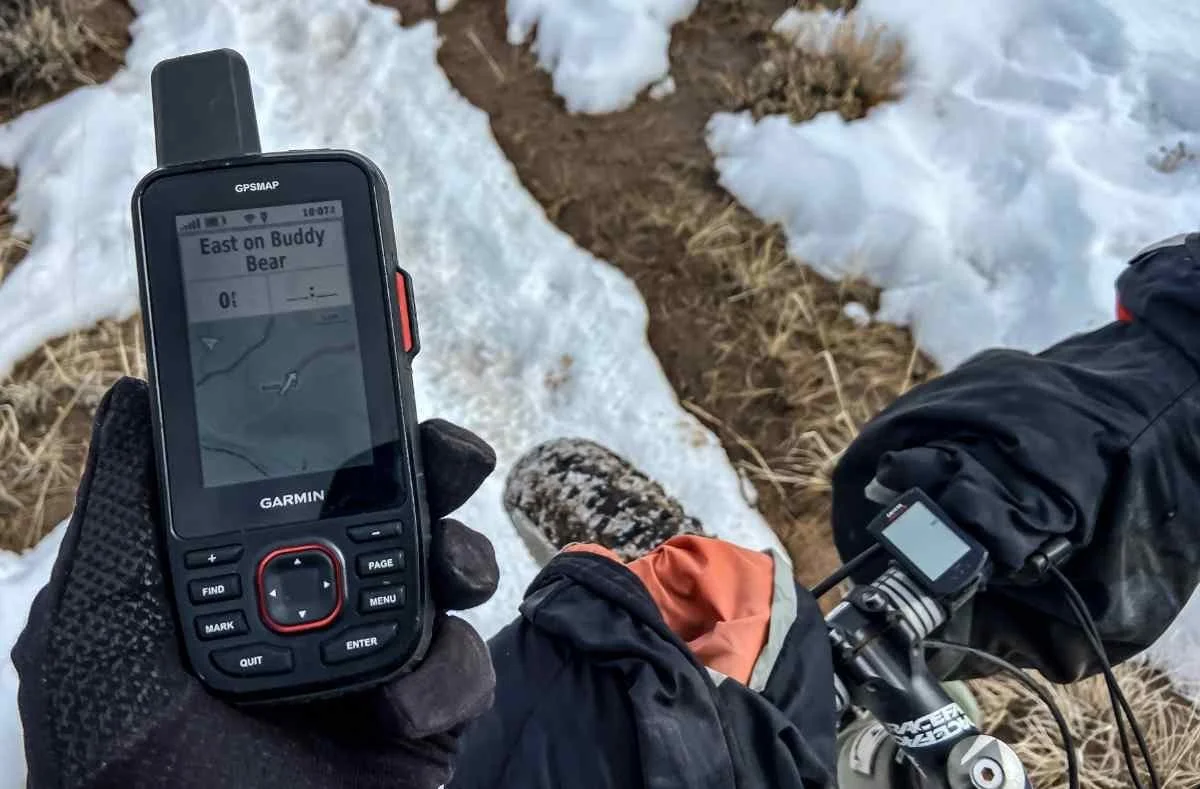
At first glance, the Mini 3 Plus looks familiar, but the hardware upgrades are significant. Weighing in at 4.5 ounces, it remains incredibly light for what it offers. The most obvious visual cue is the new red antenna cap—a signal that this isn't just another incremental update.
The move to a 1.9-inch color touchscreen is a welcome evolution from the monochrome, button-heavy interface of the Mini 2. It’s surprisingly sunlight-readable, and while it’s small, the responsiveness is sharp even with light gloves. Garmin finally caught up with the times and swapped the aging Micro-USB for a ruggedized USB-C port, which is a massive win for those of us trying to carry just one cable for our phone, headlamp, and GPS.

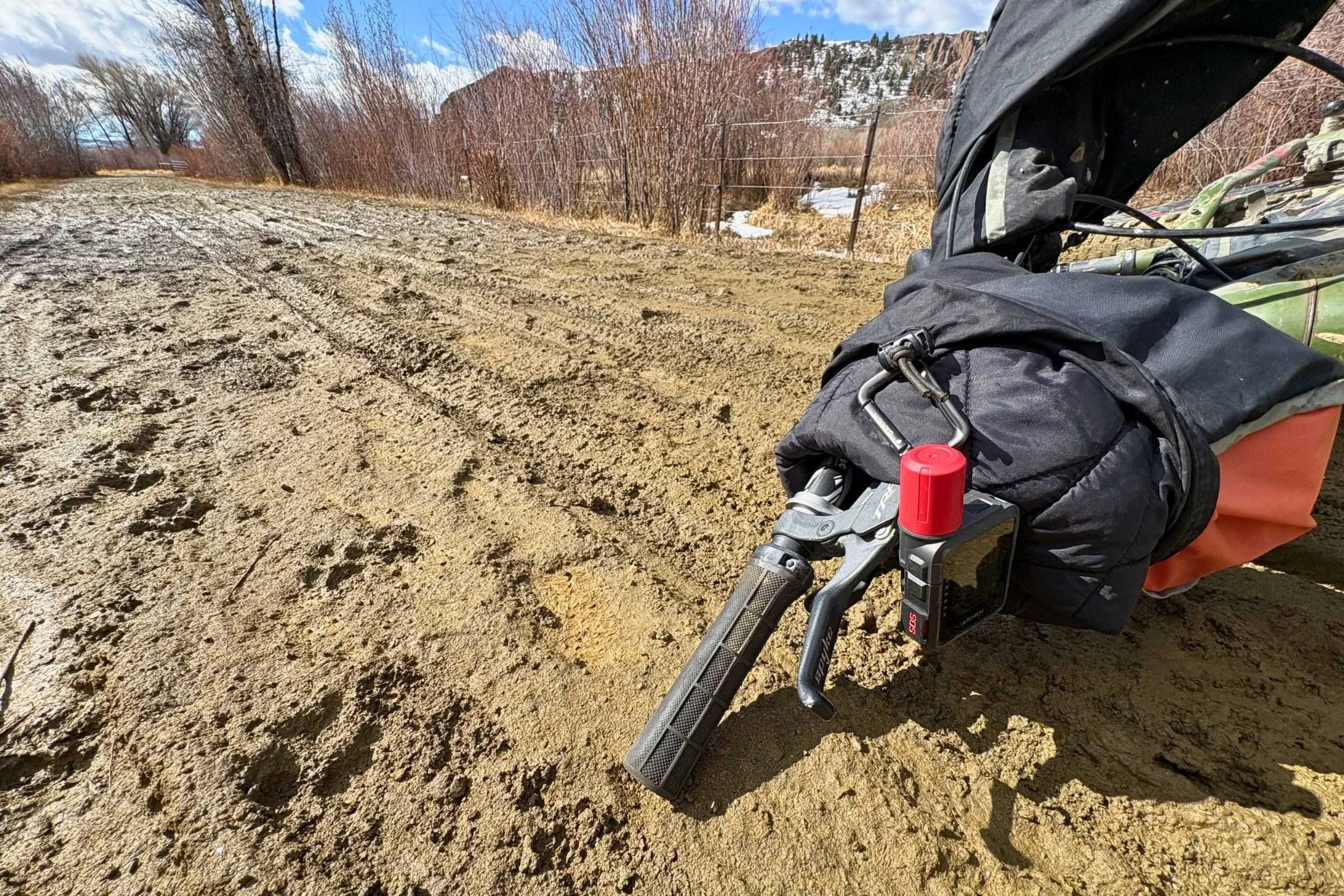
The build quality remains "Garmin tough." It carries an IPX7 rating, meaning it can handle a dunk in a stream or a heavy downpour without blinking. During my testing, I accidentally dropped it into a slurry of frozen mud and slush while navigating a technical fat-bike section; a quick rinse with a water bottle and it was back to business.
The 'Plus' Features: Voice, Photos, and Long Texts
The "Plus" in the name refers to the multimedia capabilities that were previously reserved for high-end, bulky satellite phones.
Voice-Activated SOS
The most critical safety upgrade is the voice SOS. Traditionally, you’d flip a cap and hold a button. Now, the Mini 3 Plus allows for hands-free triggering. To trigger a voice SOS, you hold the SOS button until the tone sounds and then simply speak the command 'SOS' to alert Garmin Response.
In a scenario where you’ve taken a fall and can’t reach your device, or your hands are pinned, this is a literal life-saver. In my controlled field tests at Sleeping Bear Dunes, GEOS acknowledged a voice SOS with photo attachment in just 2 minutes. Having a human voice come back over the speaker to ask for your status provides a level of psychological comfort that a text message simply cannot match.
1,600-Character Texts & The QWERTY Keyboard
If you’ve ever tried to explain a complex medical situation or a mechanical failure using the "pick-a-letter" interface on older Garmin units, you know the frustration. The Mini 3 Plus introduces a 1,600-character text capacity. Combined with the touchscreen's QWERTY keyboard, I was able to fire off detailed status reports to my base camp in a fraction of the time it used to take.
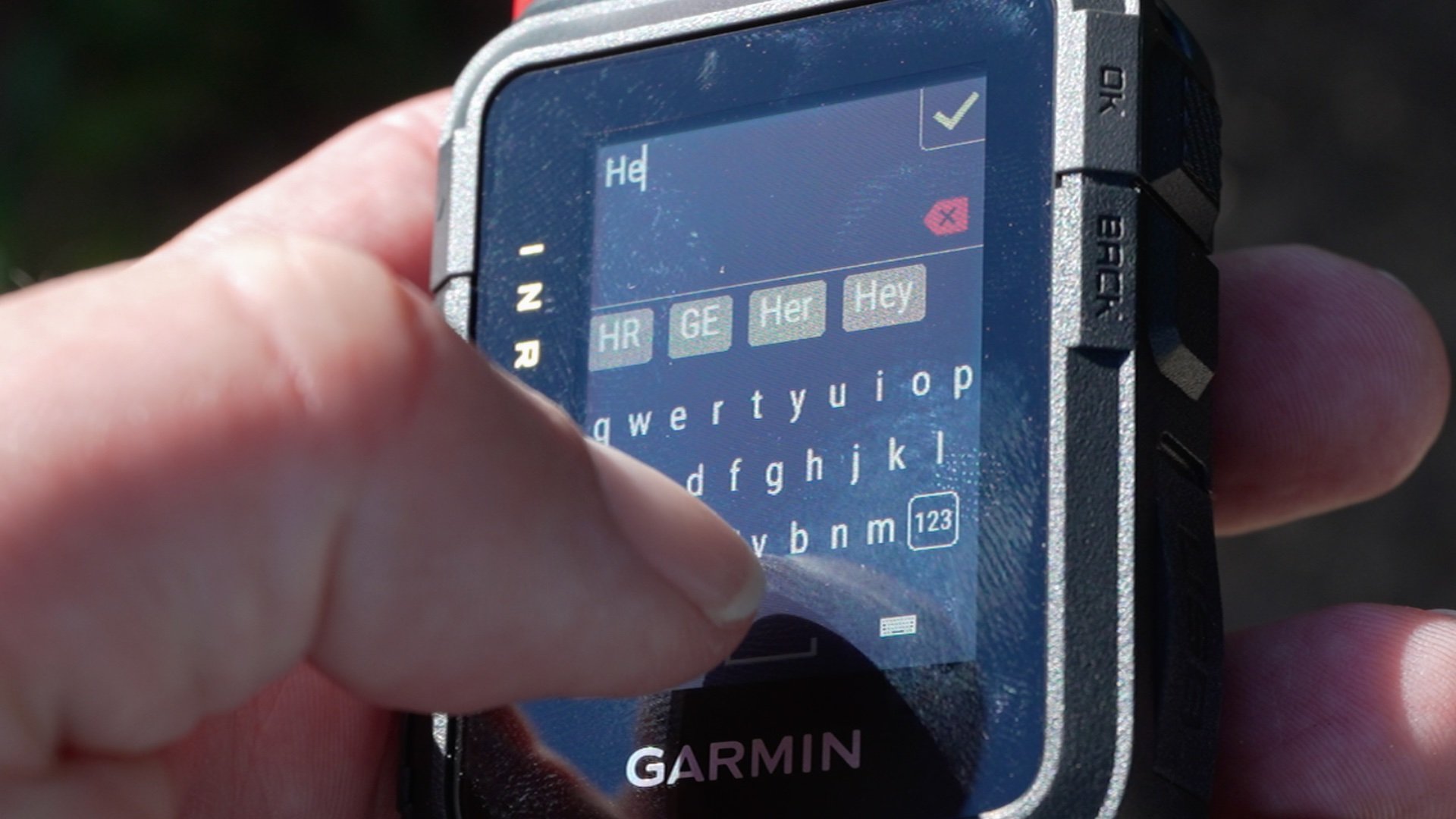
Photo & Voice Messaging
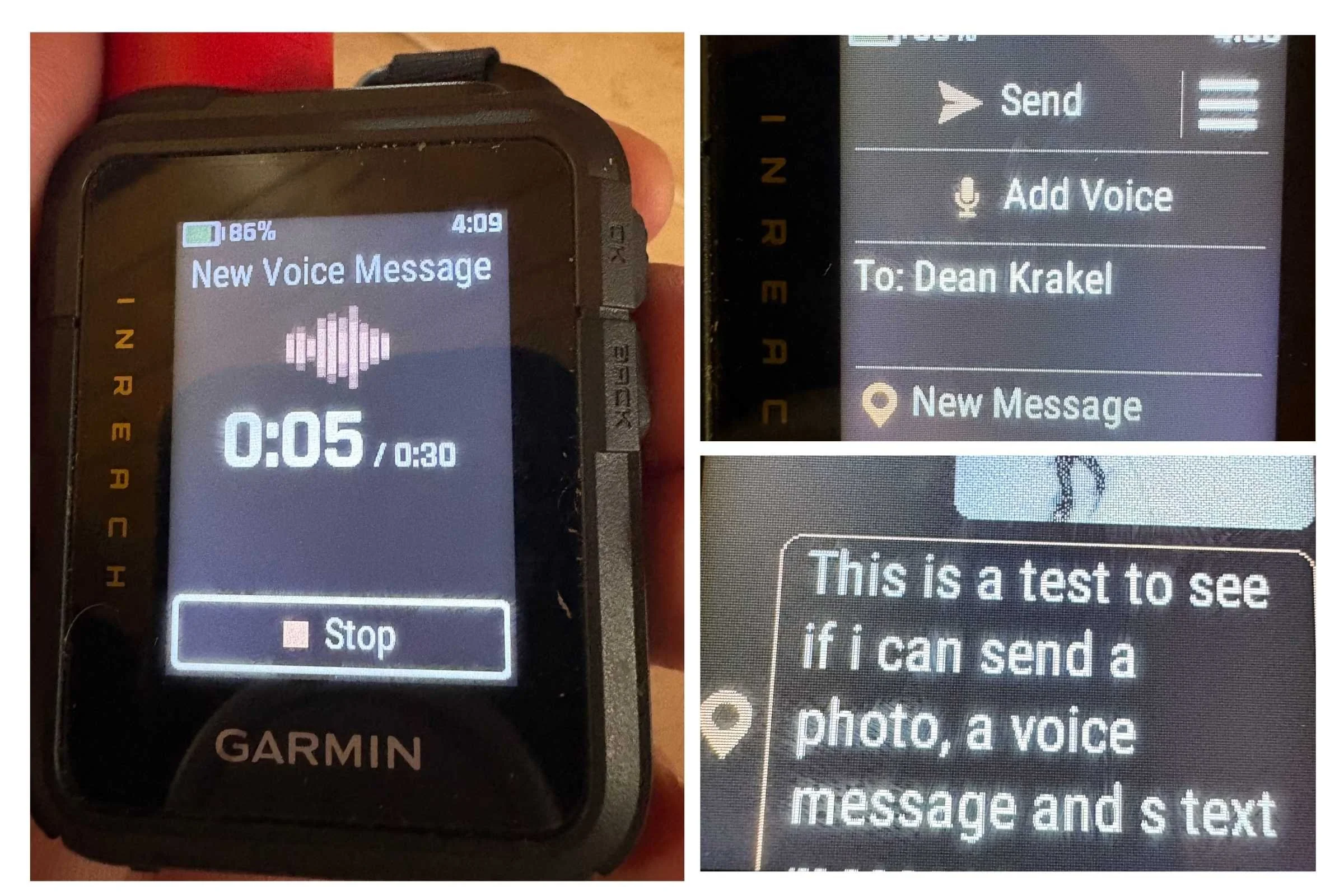
Through the Garmin Messenger app on your smartphone, you can now send 30-second voice clips and photos.
- Voice Messaging: The audio quality is surprisingly clear. I sent several clips from a dense forest canopy, and they were delivered in roughly 60 to 90 seconds.
- Photo Messaging: This is where the reality of satellite bandwidth hits. Photos are compressed down to about 40KB—enough to show a broken bone or a specific trail landmark, but not high-res enough for Instagram. In clear sky conditions, photos took 3-5 minutes to send. Under heavy canopy, that time stretched to 15 minutes.
Real-World Performance: Satellite Connectivity & Battery Life
The Mini 3 Plus utilizes the Iridium satellite network, which remains the gold standard for global coverage. Even in the deep "v-canyons" of Northern Michigan, I rarely lost a signal for more than a few minutes.
However, we need to talk about the battery. Garmin claims up to 350 hours of battery life in low-power tracking modes. While that might be true if the device is sitting on a rock with a clear view of the sky doing nothing, the real-world results are different.
Pro Tip: In my field testing, with 10-minute tracking enabled and active messaging throughout the day, the actual battery life was between 70-80 hours from a 100% charge down to 1%.
If you start sending multiple photos and voice clips, expect that battery life to drop by another 30-40%. For a weekend trip, you're fine. For a 10-day expedition, you’re going to need a reliable power bank.
The Hidden Costs: Subscription Plan Deep Dive
This is the part that usually catches people off guard. You can’t just buy the $500 device and start sending voice notes. To access the "Plus" features, you have to pay for them.
The Garmin inReach Mini 3 Plus requires a Standard subscription plan ($29.99/mo) or higher to access photo and voice messaging features. If you opt for the entry-level Essential plan ($14.99/mo), you are restricted to basic text and SOS functions, effectively making the "Plus" hardware features useless.
For professional guides, the $29.99/mo is a business expense that is easily justified. For the casual hiker who only goes out three times a year, the "freedom" (annual) plan fees can add up quickly.
Head-to-Head: Garmin inReach Mini 3 Plus vs. Mini 2
Should you upgrade? It depends on your mission profile.
- Screen: The Mini 2 has a tiny monochrome screen with button navigation. The Mini 3 Plus has a vibrant color touchscreen.
- Communication: The Mini 2 is text-only. The Mini 3 Plus offers voice, photo, and long-form text.
- Charging: Mini 2 uses Micro-USB; Mini 3 Plus uses USB-C.
- Weight: They are nearly identical, though the Mini 3 Plus feels slightly more premium in the hand.
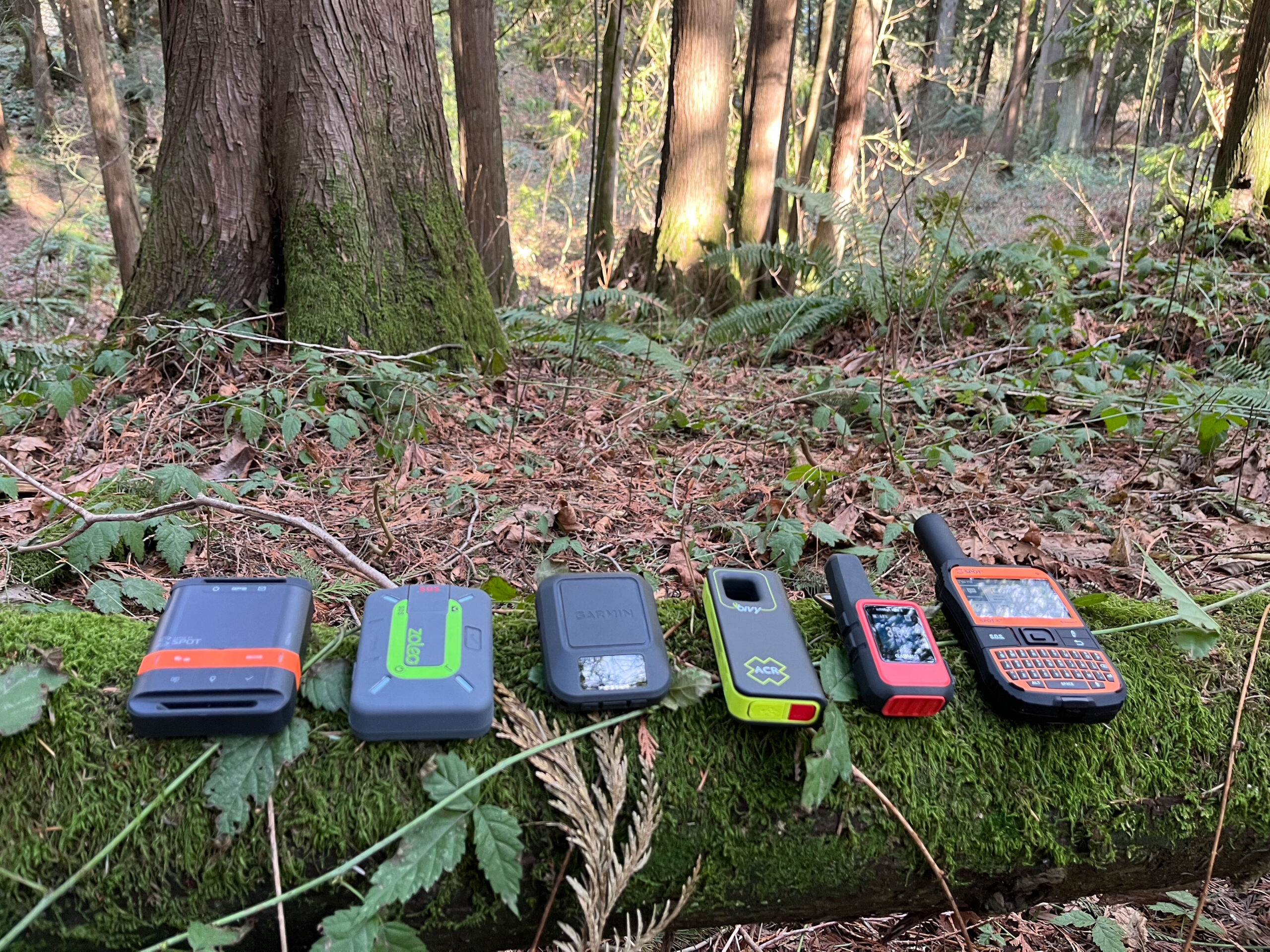
Redundancy Bonus: If you already live in the Garmin ecosystem, the Mini 3 Plus pairs seamlessly with the Fenix 8 or Enduro 3 watches. I found it incredibly useful to be able to trigger a voice SOS directly from my wrist while the Mini 3 Plus was tethered to the shoulder strap of my pack.
Who Should Buy the Mini 3 Plus?
Buy it if:
- You are a professional guide or researcher who needs to provide detailed situational reports.
- You often travel solo in high-consequence environments where voice-activated SOS is a critical safety net.
- You want the fastest, most modern UI available in a satellite messenger.
Skip it if:
- You are on a budget—the Mini 2 or the standard inReach Messenger are still fantastic life-saving tools for half the price.
- You primarily operate in extremely cold weather with heavy, thick mittens; the touchscreen, while good, can't beat physical buttons for 100% reliability in -20°F conditions.
The Garmin inReach Mini 3 Plus isn't just a gadget; it’s a professional-grade communication hub that fits in the palm of your hand. It has earned its spot on my shoulder strap for every expedition from here on out.
FAQ
Q: Can I send photos directly from the device? A: No. While the device handles the transmission, you must use the Garmin Messenger app on your paired smartphone to take and send photos.
Q: Does the voice SOS work without a phone? A: Yes. You can trigger the SOS and speak directly into the Mini 3 Plus unit itself. It has a built-in speaker and microphone for this exact purpose.
Q: Can I use the Mini 3 Plus without a subscription? A: No. Like all inReach devices, an active satellite subscription is required for all messaging, tracking, and SOS features.